Register
Learn how to register a Bookmark UniSync account in your browser.
Account Registration Steps
Step 1: Find the Registration Entry
- Click the extension icon in the top right corner of your browser
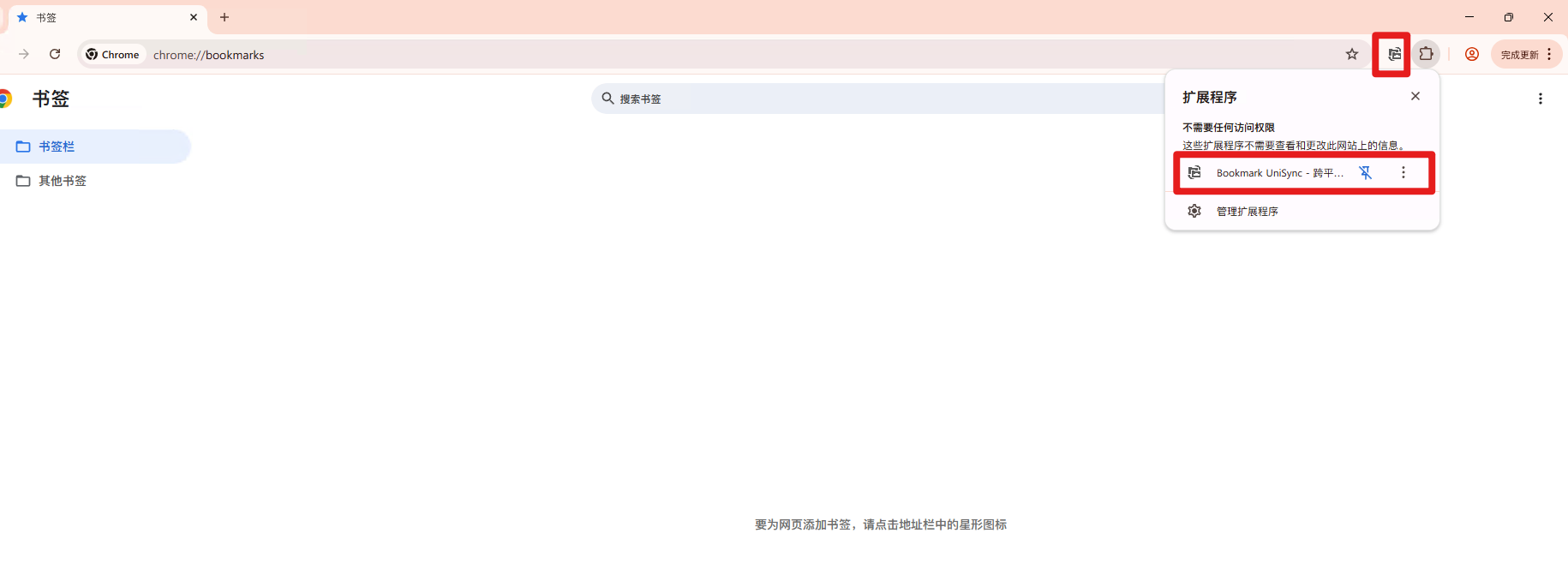
Step 2: Fill in Registration Information
-
Enter a username (recommend using an easy-to-remember name)
- Username length: 4-20 characters, email format recommended
- Using a real email address is recommended for password recovery
- Can contain letters, numbers and underscores
-
Set a password (please remember it carefully!)
- Password length: 6-16 characters
- Recommend using letters + numbers combination
- Example: mypassword123
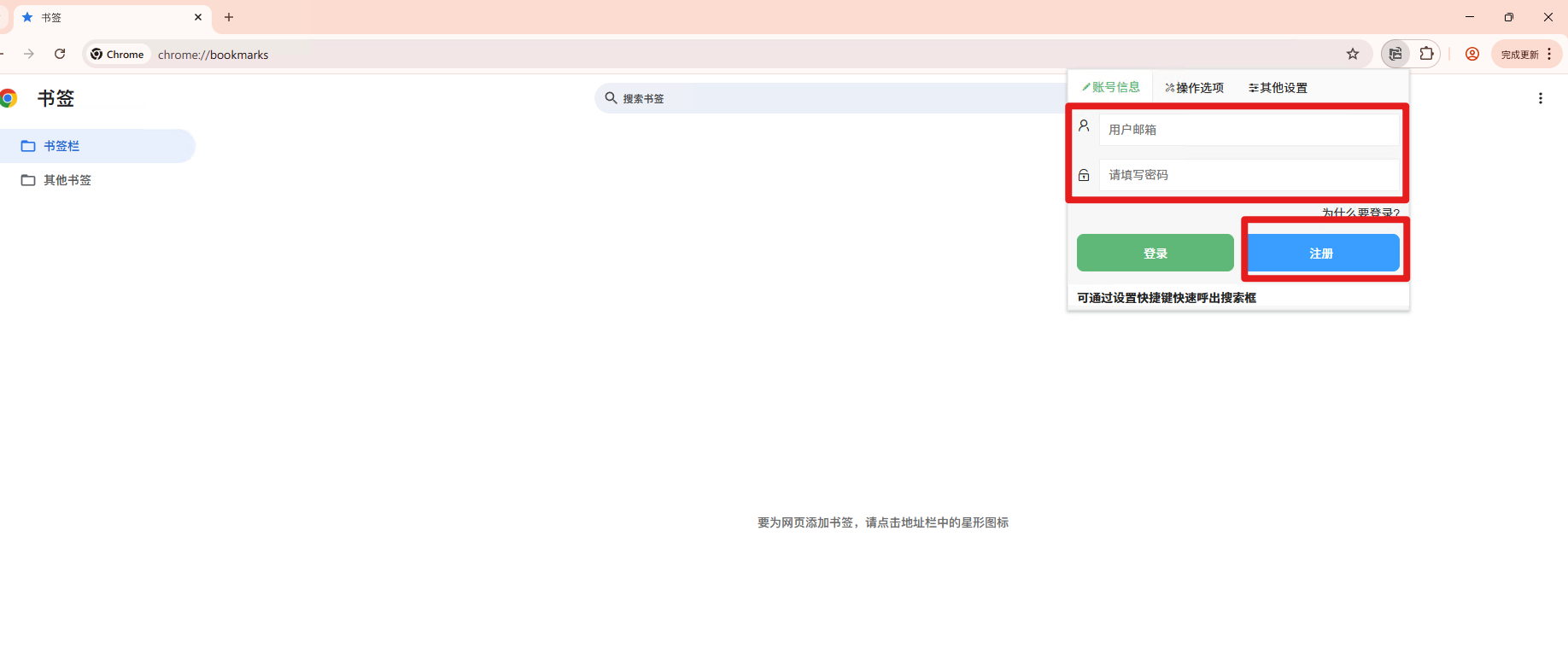
Step 3: Complete Registration
- Click the "Register" button
- The system will verify if the information format is correct
- After verification passes, you will be automatically logged in and enter the main interface
⚠️ Important Reminders
About Password Security
- The system currently has no "Forgot Password" feature
- No password reset option available
- Please remember your account and password carefully
Password Storage Recommendations
- Record in a secure place (such as a password manager)
- Do not use overly simple passwords
- Avoid using the same password as other websites
What to Do If You Forget Your Password?
If you really forget your account password, the only solution currently is:
- Contact technical support via email: support@ithuajiao.site
- Provide your username and related verification information
- Wait for manual password reset processing
Common Registration Questions
Q: What if the username is already taken?
A: Try adding numbers or special characters, such as "username123"
Q: What if the password strength is insufficient?
A: Recommend using uppercase + lowercase letters + numbers combination, such as "MyPassword2024"
Q: No response after registration?
A: Check your network connection, or try refreshing the page and registering again
Next Steps
After successful registration, you can:
- Immediately start using all features of the extension
- Personalize your usage preferences in settings
- Sync your data and configuration
Remember: Properly protecting your account password is an important prerequisite for using this extension! If you have any registration issues, please feel free to contact us.